Shape and listen
Draw volume, tone and noise, edit linked channels, set loops, mute or solo voices, and undo changes.
Sound tools · MSX & ZX Spectrum
Build sounds for the machines we love. Edit AY sound effects in your browser or on your desktop, from a single channel to three-channel effects and audio conversion.
New · Browser testing preview
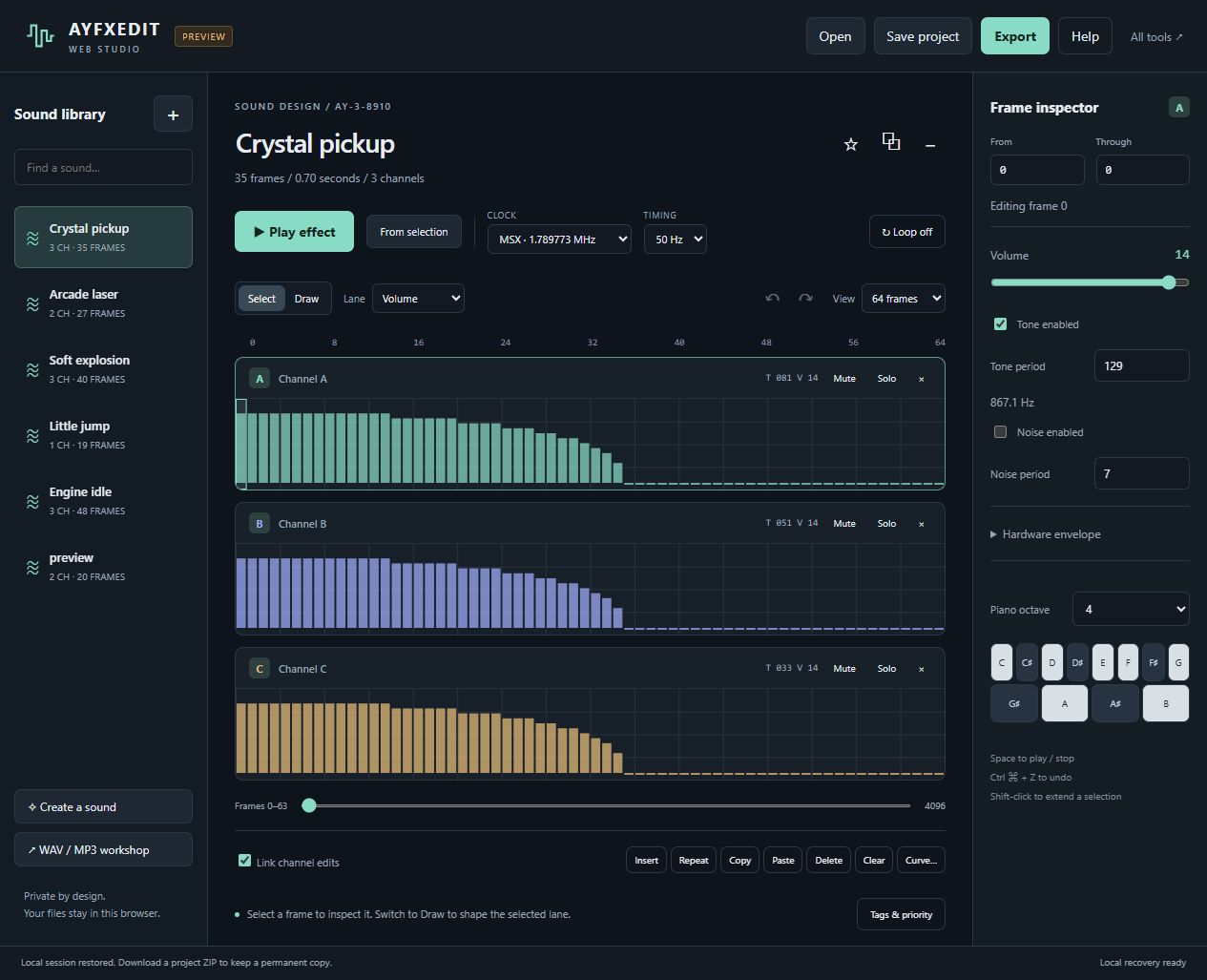
A fresh, quieter interface with three colour-coded timelines, drawing tools and a focused frame inspector. Web Studio uses the same AY audio and conversion engine as the native editor. No installation or account is needed; project and audio files are processed locally.
Draw volume, tone and noise, edit linked channels, set loops, mute or solo voices, and undo changes.
Open AFX/AFB projects, generate effects, or convert WAV/MP3 excerpts. Save an editable project ZIP, WAV, register data or a game SDK.
A responsive workspace for modern browsers, with local recovery and downloadable projects. Desktop is recommended for detailed editing.
Testing preview: includes the desktop editing tools, batch import/export and 26 searchable Help topics. Project saving, reopening, exports and audio workflows have been tested in Chrome against the native engine. Safari/Firefox, Linux/macOS audio devices and mobile workflows still need wider testing. Keep downloaded copies of your projects.
Open the web editor Web source and validation notes
Testing only · Preview 1
Try the first native Qt builds of AYFXEDIT NEXT GEN. They share the AY engine, project formats and conversion tools with the Windows editor, with a different native interface. These are testing builds, not stable releases; Windows v1.0.0 remains the stable version.
Ubuntu 24.04-compatible system
Install the DEB with sudo apt install ./ayfxedit-next-gen-1.1.0-linux-x86_64.deb so its dependencies are installed too.
The TAR.GZ needs system Qt libraries; it is not a self-contained AppImage.
macOS 15 or newer · ARM64
For Macs with an Apple M-series chip. Unzip and copy the app to Applications. Qt and audio plugins are included.
Apple Silicon preview · ZIPmacOS 15 or newer · x86-64
For Intel-based Macs. Unzip and copy the app to Applications. Qt and audio plugins are included.
Intel Mac preview · ZIPAutomated editing, file-format and MP3 checks pass on all three builds. Real desktop and listening tests are still needed. Try playback, loops, WAV/MP3 conversion, save/reopen and exports using copies of your projects. Some controls differ from Windows, and parts of the inherited help describe Windows controls.
Mac previews are ad-hoc signed, not Apple-notarized. macOS may require approval to open the downloaded app. Homebrew is not needed to run either Mac build.
Preview release & testing notes Installation notes SHA-256 checksums
What is new
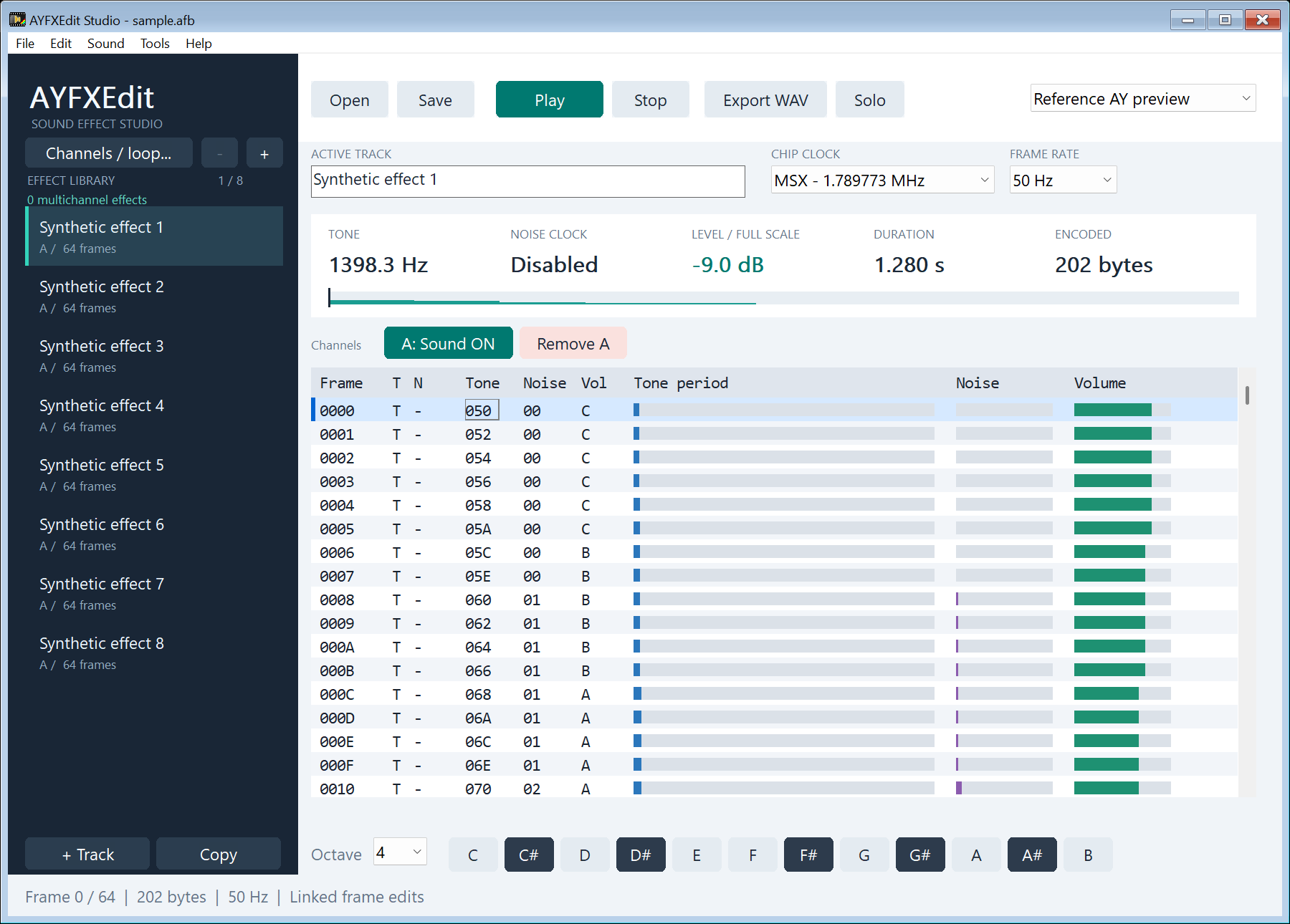
Group AY channels, edit linked frames, assign or remove channels, mute and solo parts, and set loop markers. Undo and redo make experimentation easy.
Draw curves, generate effects, transpose pitch and add vibrato. Hardware envelopes support explicit retriggers, with checks for shared noise and envelope conflicts.
Search, tags, favourites, priorities and batch import/export help manage your effects. Autosave and recovery protect work in progress.
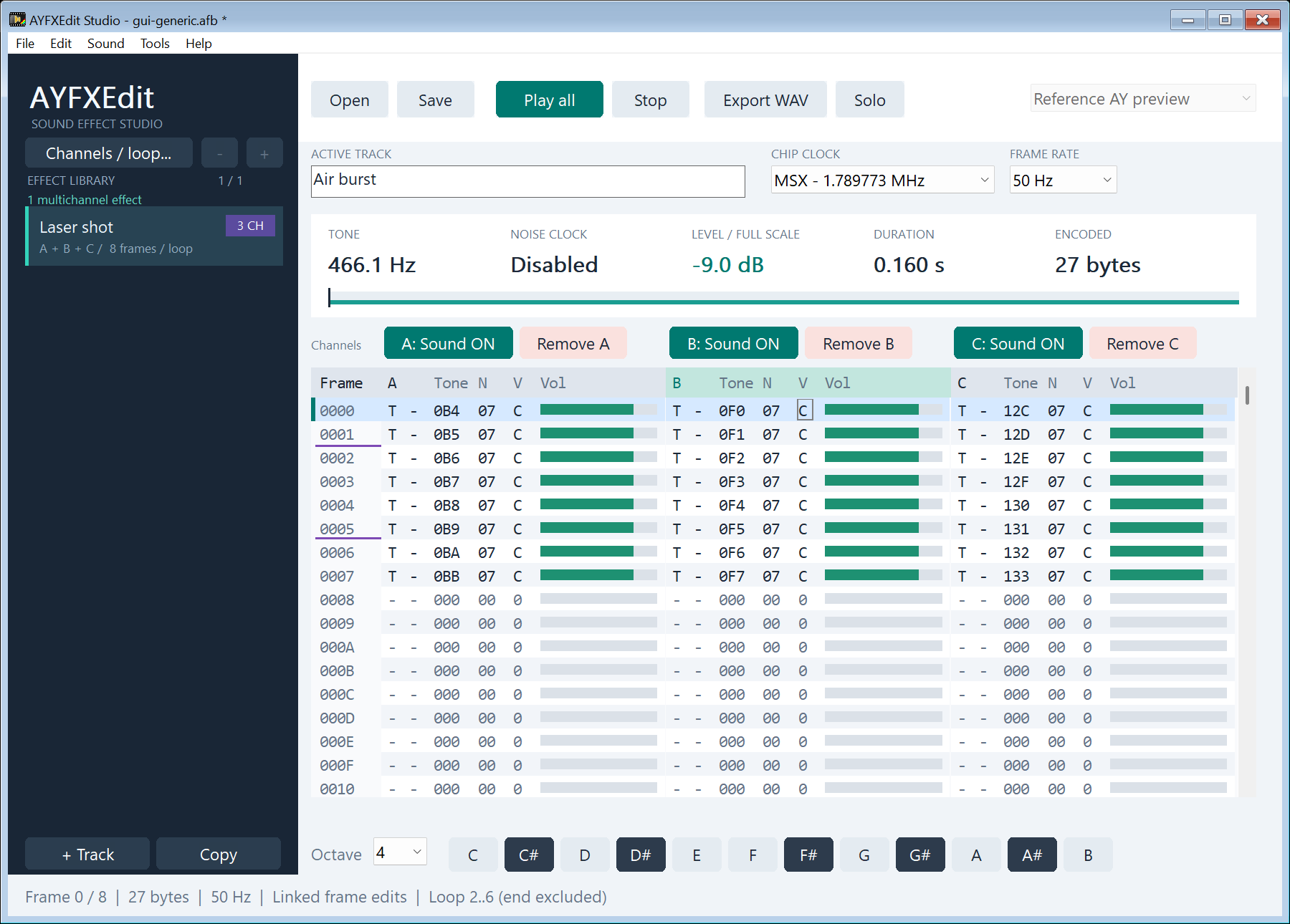
Multichannel editing
Work with synchronized A, B and C lanes in a single effect. Each channel has its own controls, with loop markers visible alongside the frames.
Preview at 50 or 60 Hz with the selected chip clock. Oscillator, noise and envelope state continues across loops.
WAV / MP3 workshop
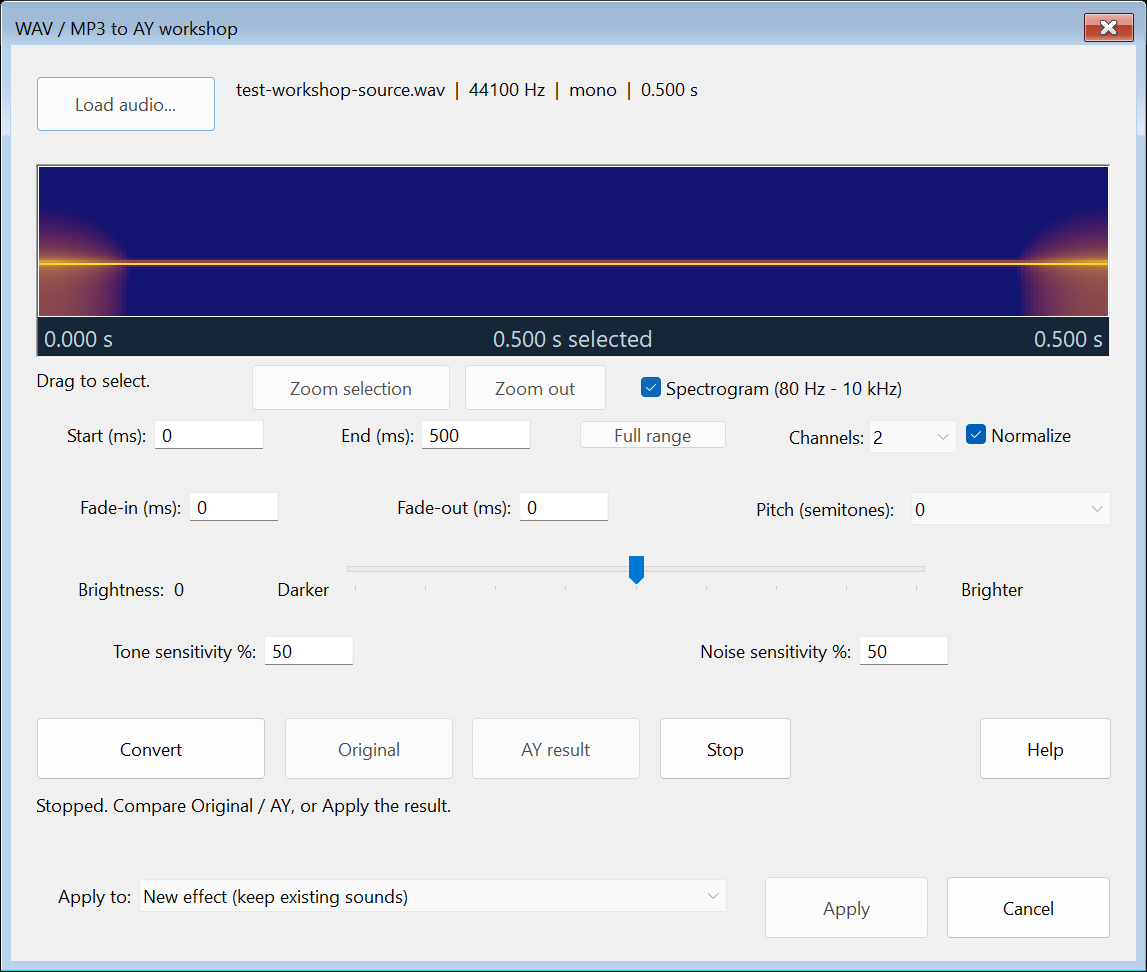
Trim and zoom into source audio, inspect the spectrogram, then adjust pitch, tone, noise and fades. Compare the original with the AY result before applying it.
Conversion runs in the background and can be cancelled. The project can retain the source excerpt and settings for another pass.
Conversion recreates audio using AY tones, noise and envelopes; it is not PCM playback or an exact copy of the recording.
From editor to game
Export compact tniASM Z80 or SDCC C players for MSX and ZX Spectrum, with multichannel effects, priorities, loops and hardware envelopes. SDK sources are included in the editor.
Optional music sharing lets the game coordinate effects with its music player. The SDK guide explains channel ownership and the AY’s shared registers.
Read the game integration guide →Classic .afx and .afb remain supported. Keep the companion .ayfx-project file for groups, loops, hardware envelopes, tags and source audio.
Other routes include WAV, CSV and VT2 export, AY14/PSG11 register streams, PSG import and uncompressed single-AY VGM extraction.
NEXT GEN v1.0.0 · Release overview
NEXT GEN builds on Shiru’s AY Sound FX Editor v0.6 and Threetwosevensixseven’s improved fork. This overview brings together the additions, reworked systems and fixes in the first public NEXT GEN release, for users and anyone writing about the project.
.ayfx-project file stores groups, loops, envelopes, timing, metadata and conversion sources while preserving classic AFX/AFB compatibility.Classic AFX/AFB loading and saving, frame editing, piano note entry and the inherited export routes remain part of the editor; these are retained capabilities, not all new inventions. Banks support up to 256 tracks and effects up to 4096 frames. Keep the project companion with the bank to retain NEXT GEN features.
The workshop approximates recordings with AY sound rather than streaming PCM. VGM extraction uses the selected 50/60 Hz frame rate, not cycle-exact playback; VTX import is not supported. The game SDK plays one effect group at a time and needs integration with the game’s audio service. Emulator and automated tests do not replace testing on the target hardware.
For further detail, see the editor documentation, game SDK guide and release changelog. Original author and component credits are preserved below and in the distribution.
Get started
Extract the Windows x64 ZIP and run ayfxedit-next-gen.exe. No installer or compiler is needed.
Extensive help is included in the executable. Press F1 to open the offline manual, covering editing commands, keyboard shortcuts, multichannel effects, timing and the WAV/MP3 workshop. No internet connection or separate help download is needed.
MP3 import uses Windows Media Foundation. Windows N needs the Media Feature Pack.
Based on Shiru’s AY Sound FX Editor v0.6 and Threetwosevensixseven’s ayfxedit-improved. NEXT GEN interface and additions by Max Iwamoto, 2026.
The public repository includes the current source, original credits and third-party notices. Full credits · Third-party notices